Hole Info Cards: How to Show the Hole, Par and Yardage in Golf Videos
2026-11-18 · Score Graphics
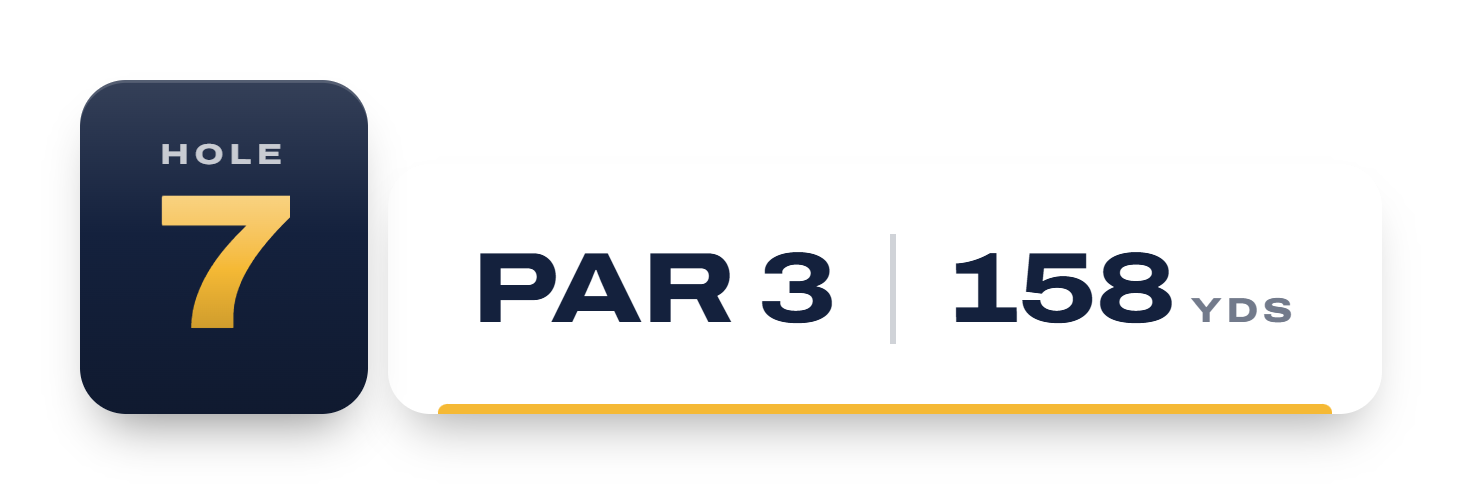
Watch a golf broadcast and before every hole you'll see it: the hole number, the par and the length, usually over a shot of the tee or a flyover. It takes two seconds and tells you exactly what's coming. It's one of the simplest graphics in golf, and one of the most useful in a YouTube video. It's the overlay that sets up the hole before the first shot.
Here's what a hole info card does for your videos, what to put on it, and how to make one for every hole without building 18 by hand.
Why it helps
- It marks a new chapter18 small stories: viewers always know where they are.
- It sets the stakesA 230-yard par 3 over water feels different once you know.
- It gives the edit a rhythmCard, tee shot, the hole, scorecard, card.
- Lighter score graphicsHole and par shown big up front, so shots stay clean.
What goes on a hole info card
- The hole number, the biggest thing on the card.
- The par, as big as the number or close to it, because it's the first thing a viewer wants to know.
- The length, in yards or metres, from the tees being played.
- The course or event's logo, if you're at a famous course or running a series.
Leave everything else for the score graphic. Stroke index, the hole's name and a map are nice touches on a broadcast, but on a phone screen less is more.
When to show it
Show the card over the first moments of the hole: the walk to the tee, the tee box, a flyover if you have drone footage. Two to four seconds is plenty. Bring it in with a little animation and take it out before the tee shot, so the score graphic has the screen to itself for the swing.
For money games: what's on the line
In a skins game, the hole info card is the perfect place to show what the hole is worth, especially when ties have carried the money on: "$400 on the line, 3 holes carried" builds the tension before anyone hits.
Hole info cards in the Score Graphics Generator
On Pro, the Score Graphics Generator makes a hole info card for every hole of the round, from the same scorecard as your score graphics:
- A matching card for every designSame style and colours: the video looks like one broadcast.
- Hole, par and lengthStraight from your scorecard, in yards or metres.
- Animated or stillThe number arrives first and the card opens out of it.
- Skins roundsWhat's on the line, carryovers and presses.
- Its own placement and sizeIt can sit somewhere different from your score graphic.
They export with everything else, a hole info card at the start of each hole's folder, in order.
Tips
- Match the card to the score graphic. Same fonts and colours, so it feels like one package.
- Use real yardages. Viewers who play the course will notice if the 7th is listed from the wrong tees.
- Pair it with the scorecard from the hole before: scorecard out, hole card in, tee shot.
 ScorecardsHow to Make a Golf Scorecard Graphic
 Beginner's guideHow to Make a Golf Score Graphic