Golf Skins Game Graphics: Show the Money on Every Hole
2026-11-09 · Score Graphics
Nothing gets a golf video going like money on the line. A skins game turns every hole into a mini event: win it outright and you take the cash, tie and it carries over, and three ties in a row means the next hole is suddenly worth a lot. Viewers love it, as long as they can keep track of who's winning.
Here's how a skins game works, what your graphics should show, and how to keep the money right on every shot.
How a skins game works
- Every hole is worth a set amount, the skin. $100 a hole is common in videos; it can be points instead of money.
- The lowest score on a hole wins it outright. If two or more players tie for the lowest score, nobody wins it.
- A tied hole carries over. Its money rolls on to the next hole, so a run of ties builds a big skin. Some groups play that a tie is simply lost (a push), or that the tied players split it.
- Net or gross. In a net game, players get their handicap shots on the hardest holes by stroke index, so a 15 handicap can win a hole against a scratch player.
Plenty of groups add extras: a bonus for a birdie or an eagle, a press that doubles a hole, greenies for closest to the pin on a par 3, sandies for an up and down from a bunker, and side bets on the front nine, back nine and overall.
How the money moves
Here's a $100-a-hole game over six holes, with ties carrying over. Watch the third and fourth holes:
After six: Sam has won $300 from one hole, Dave $200 from two, and $100 rides on the 7th. That's what your graphics need to keep track of.
What the graphics should show
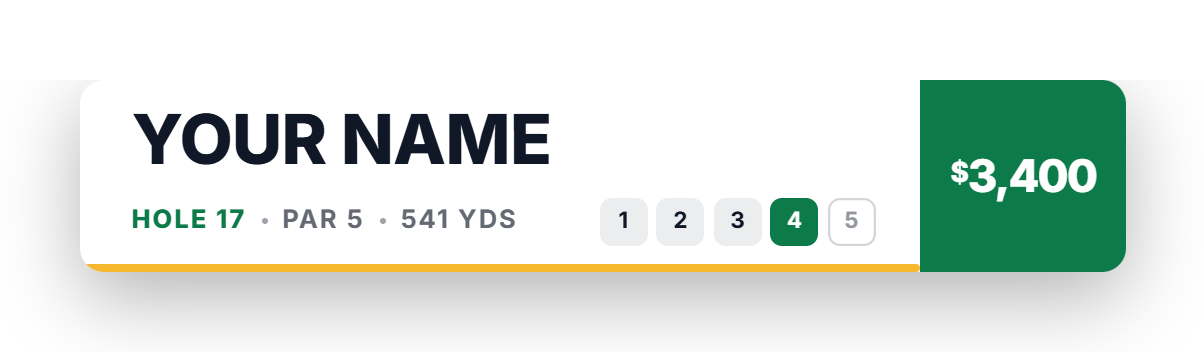
In a skins video, the money is the score. Instead of a score to par, each player's graphic shows what they've won so far, or how far they're up or down once their share of the payouts is taken off. On top of that:
- What the hole is worth before anyone tees off, including anything carried over from ties. "This hole is worth $400" is the line that gets people watching.
- How many holes have carried, so the size of the pot makes sense.
- Presses, when a hole is being played for double.
- The winnings changing as the putt to win the skin drops.
Show the money going into the hole, and change it only when the hole is won. Putting $400 next to a player's name on the tee gives the result away.
Keep the money right
Skins is the hardest format to do by hand. A carryover changes what every later hole is worth, a net shot changes who won, and a missed tie throws off every graphic for the rest of the round. Then there's the playoff if money is still carried after the 18th. The easiest fix is to never work it out yourself.
Skins in the Score Graphics Generator
The Score Graphics Generator has a Skins mode built in. Set the game up once and it works out the money for every shot:
- The skin, in dollars, pounds, euros or points, with any hole worth a different amount.
- Ties that carry, push or split, and what happens to money still carried after the last hole, including a playoff.
- Net or gross, with shots given by stroke index.
- Presses, bonuses and extras: birdie and eagle bonuses, greenies, sandies, chip-ins and longest drive, picked hole by hole, plus front nine, back nine and overall side games.
- Who pays: every other player paying the winner, or a pot everyone puts into.
The graphics show each player's winnings (or how far up or down they are), big amounts set to fit the box. Before each hole, the hole info card can show what's on the line, how many holes have carried, and whether it's pressed. On Pro, the scorecard after every hole and a leaderboard of the money keep the whole group in view.
Tips for skins videos
- Explain the game in the first minute. A quick line on the stakes and the rules (carryovers, net or gross) and viewers follow the rest on their own.
- Make the big skins big. When three holes have carried, linger on the hole info card. That tee shot matters more than any other on the hole.
- Show the leaderboard at the turn. A money leaderboard after nine is a natural mid-video recap.
- Keep the amounts readable on a phone. $1.2K reads faster than $1,200 in a small box.
 Beginner's guideHow to Make a Golf Score Graphic