How to Add Golf Score Graphics in LumaFusion
2026-11-27 · Score Graphics
LumaFusion is how a lot of golf creators edit away from a desk: on an iPad between rounds, or on the phone that filmed it. It handles score graphics well too, as long as the files get onto the device the right way and the animated clips are in a format it keeps see-through. Each score graphic is a transparent overlay that sits on the track above your footage.
This guide covers getting a round's graphics onto your iPad or iPhone, placing them shot by shot, and the animated version.
Before you start
- A transparent PNG per shot1920 × 1080 HD, 3840 × 2160 4K, or 1080 × 1920 vertical.
- Files named in orderH06_S2.png for hole 6, shot 2.
- Saved to Files, not PhotosPhotos can lose the transparency.
- A nearly locked editGraphics go on fastest once the shots stop moving.
 Beginner's guideHow to Make a Golf Score Graphic
Step 1: get the graphics onto your device
Save the graphics to the Files app: iCloud Drive, On My iPad, or a cloud drive LumaFusion can see. If they arrive as a zip, tap it in Files to unzip it. Keep them out of the Photos app, which can save a PNG without its transparent background.
In LumaFusion's library, switch the source to Files (or the cloud drive you used) and open the folder. Importing a folder per hole keeps a long round easy to work through.
Step 2: stack the graphics above your footage
Your footage sits on the main track. Score graphics go on the track above it, so they show on top. A scorecard between holes or captions can have a track of their own above that.
- Move the playhead to just before the swing, about a second before the club meets the ball.
- Drag the shot's graphic from the library onto the track above, at the playhead.
- Trim its end to where the next shot starts, then do the next one.
The graphic comes in at the size of your project, so a graphic made at the same size as your video lines up with nothing to adjust. If one needs moving, open it in Frame & Fit.
Step 3: animated graphics as transparent clips
An animated score graphic is a short clip with a transparent background: it animates in, then stops on the finished graphic. Put the clip down first and the still PNG of the same shot straight after it on the same track. The clip plays the entrance, and the PNG holds the graphic for the rest of the shot.
LumaFusion keeps the transparency of ProRes 4444 .mov clips. Clips in other formats can come in with a black background behind the graphic, so ProRes 4444 is the one to use.
Tips that save time
- Copy and paste along the trackFaster than dragging every graphic from the library.
- Lock the footage trackTrimming graphics can't nudge your shots.
- Play at full speedScrubbing hides timing problems.
- Vertical as its own project1080 × 1920 graphics, not a cropped wide edit.
 Short-form videoGolf Score Graphics for TikTok, Reels and Shorts
Where the time really goes
Placing graphics in LumaFusion is quick once you've done a round or two. Making them is the slow part: every shot needs its own graphic because the shot number and score change each time, and keeping the score to par right for 18 holes by hand takes hours, which is no fun on an iPad.
The Score Graphics Generator makes the whole round's graphics from the scorecard, and works in the browser on your iPad or phone.
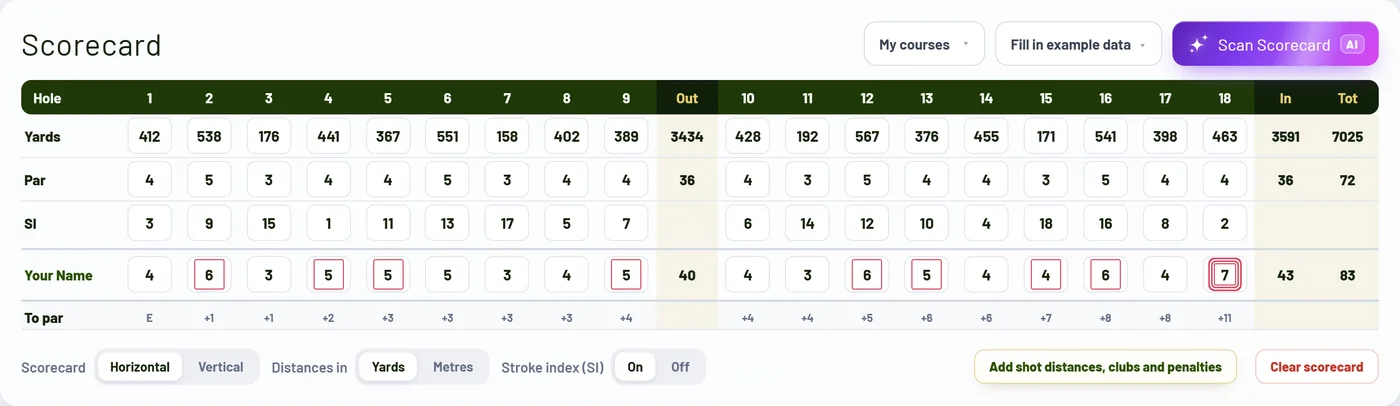
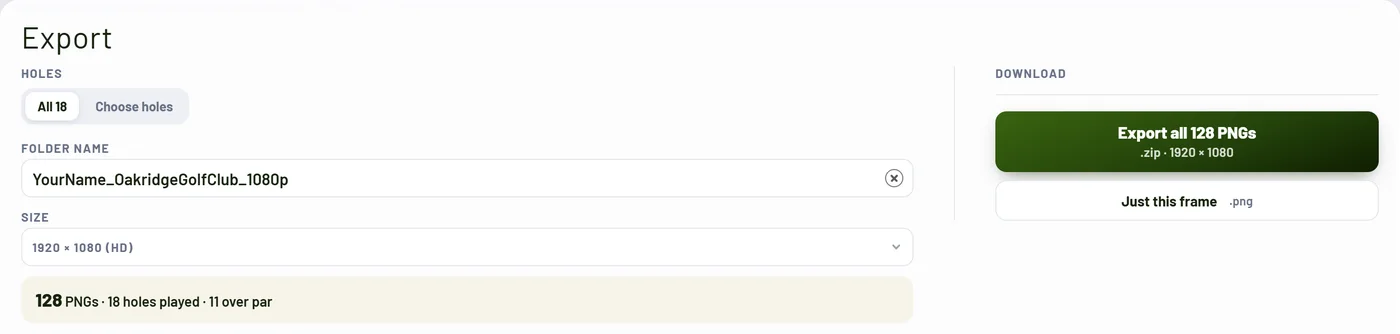
It exports a transparent PNG for every shot, already named in order. On Pro, animated designs export as clips too: pick LumaFusion as your editing app and they come as ProRes 4444 .mov files, the format LumaFusion keeps see-through. Pro also adds a scorecard graphic after every hole.
Try it on your next edit
Make a free account and preview every design with your own name before you pay anything. Starter and Pro both come with a 14-day free trial.